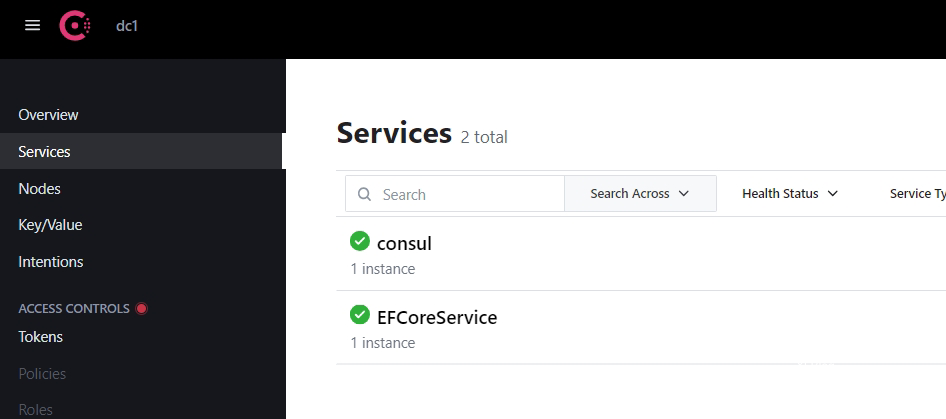
服务自动注册到Consul
- Consul一、什么是consul?
consul的作用是服务治理,提供服务注册与发现的,属于可以横向伸缩的注册中心,高可用且能伸缩;
在以前我们用Nginx做负载时,需要把服务地址一个个手动集成进去的,如果服务多了会有什么问题呢?(现在也可以动态发现,参考前一篇文章)
1.需要新增一个服务,必须要重新配置Nginx然后重启;
2.感知不了哪个服务停止了;
3.如果某个服务停止了,无法自动创建新的服务代替;因为微服务其中一个特点是基础设施自动化,
所以明显Nginx满足不了需求,那么服务注册与发现就横空而生了(除了consul外还可以使用etcd,K8S Services等)
二、consul安装
安装下载地址:https://developer.hashicorp.com/consul/downloads
三、运行consul
执行命令行:consul agent -dev -client=0.0.0.0
然后打开浏览器,默认端口是8500,浏览: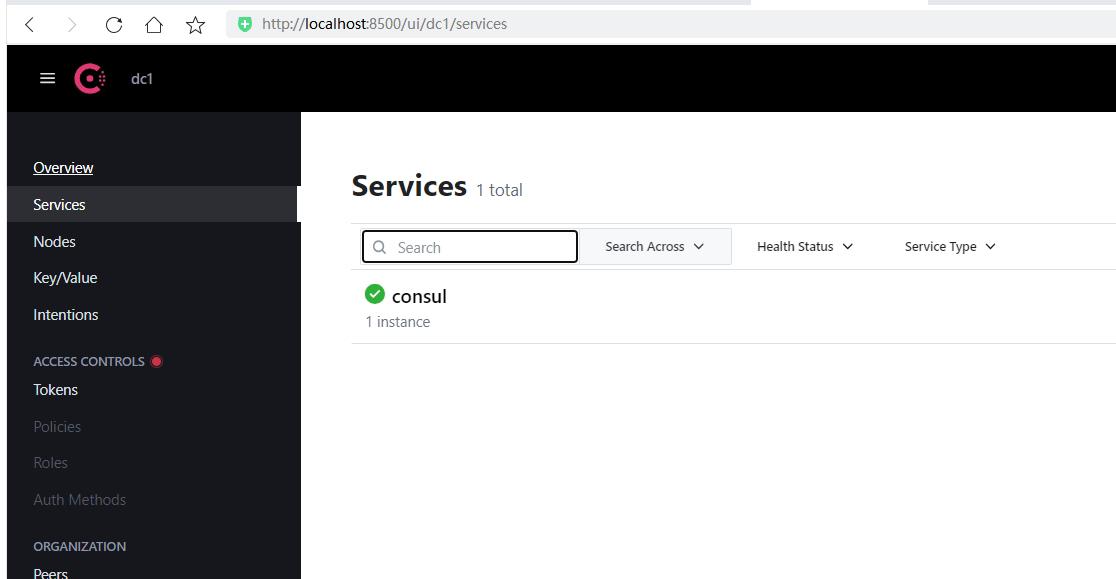 可以打开表示安装consul成功了
也可以服务形式安装运行
服务形式运行:
配置系统服务
1、拷贝consul.exe的目录 如:E:\Consul\consule.exe
2、以管理员身份启动命令提示符,执行
sc.exe create "Consul" binPath=" E:\DXL\Core\consul\consul_1.15.2_windows_amd64\consule.exe agent -dev"
sc.exe create "Consul" binPath=" E:\DXL\Core\consul\consule.exe agent -dev"
sc create Consul binPath="E:\DXL\Core\consul\consule.exe"
如果出现下图错误,就在等号后面加一个空格就行。
4、启动服务
执行sc.exe start “Consul”
四、创建服务注册DEMO
1.安装组件:consul
2. 新增注册类ConsulHostedService:
在.NET Core中,AddHostedService方法是IServiceCollection接口提供的一个方法,可用于将实现了IHostedService接口的服务类添加到应用程序中。
IHostedService接口通过StartAsync和StopAsync两个方法来定义一个后台任务。
一个实现了IHostedService接口的服务类,可以通过AddHostedService方法来添加到应用程序中,并指示主机在启动时自动启动该服务。
public class ConsulHostedService : IHostedService
{
    private readonly IConfiguration _configuration;
    private readonly IHostApplicationLifetime _hostApplicationLifetime;
    private readonly ILogger _logger;

    public ConsulHostedService(IConfiguration configuration, IHostApplicationLifetime hostApplicationLifetime, ILogger logger)
    {
        _configuration = configuration;
        _hostApplicationLifetime = hostApplicationLifetime;
        _logger = logger;
    }

    public async Task StartAsync(CancellationToken cancellationToken)
    {
        await DoWork();
    }
    public async Task DoWork()
    {
        _logger.LogInformation("Start Consul Service!");
        var consulClient = new ConsulClient(c =>
        {
            //consul地址
            c.Address = new Uri(_configuration["ConsulSetting:ConsulAddress"]);
        });

        var registration = new AgentServiceRegistration()
        {
            ID = Guid.NewGuid().ToString(),//服务实例唯一标识
            Name = _configuration["ConsulSetting:ServiceName"],//服务名
            Address = _configuration["ConsulSetting:ServiceIP"], //服务IP
            Port = int.Parse(_configuration["ConsulSetting:ServicePort"]),//服务端口
            Check = new AgentServiceCheck()
            {
                DeregisterCriticalServiceAfter = TimeSpan.FromSeconds(5),//服务停止运行后多长时间自动注销
                Interval = TimeSpan.FromSeconds(10),//健康检查时间间隔
                HTTP = $"http://{_configuration["ConsulSetting:ServiceIP"]}:{_configuration["ConsulSetting:ServicePort"]}{_configuration["ConsulSetting:ServiceHealthCheck"]}",//健康检查地址
                Timeout = TimeSpan.FromSeconds(5)//超时时间
            }
        };

        //服务注册
        await consulClient.Agent.ServiceRegister(registration);

        //应用程序终止时,取消注册
        _hostApplicationLifetime.ApplicationStopping.Register(async () =>
        {
            await consulClient.Agent.ServiceDeregister(registration.ID);
        });

    }

    public Task StopAsync(CancellationToken cancellationToken)
    {
        _logger.LogInformation("Stop Consul Service!");
        return Task.CompletedTask;
    }
}
appsettings.json配置文件增加节点配置
 "ConsulSetting": {
   "ServiceName": "EFCoreService",
   "ServiceIP": "localhost",
   "ServicePort": "5095",
   "ServiceHealthCheck": "/healthcheck",
   "ConsulAddress": "http://localhost:8500"
 }
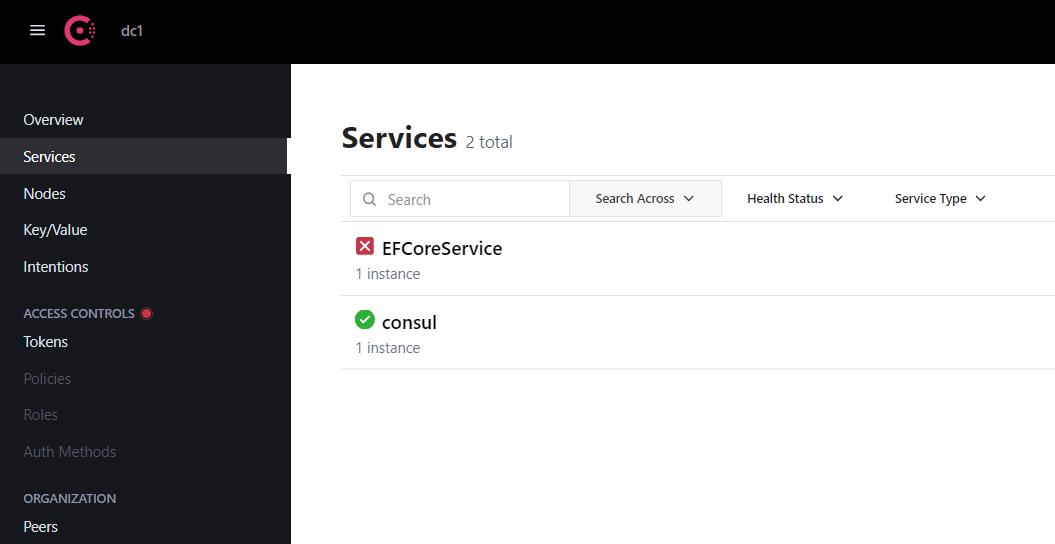
3. 运行站点,发现服务已经注册,但是出于失败状态,原因:健康检查失败,需要给配置中的检查写一个心跳检查接口
4. 创建心跳检查
    [Route("[controller]")]
    [ApiController]
    public class HealthCheckController : ControllerBase
    {
        [HttpGet]
        public IActionResult Get()
        {
            return Ok();
        }
    }
5.重新运行