ASP.NET Core JWT授权验证----Swagger配置验证锁
-一、配置service
builder.Services.AddSwaggerGen(c =>
{
    var basePath = AppContext.BaseDirectory;
    c.SwaggerDoc("V1", new OpenApiInfo
    {
        Version = "V1",   //版本
        Title = $"EFCore 整合",  //标题
        Description = $"EFCore  Http API v1",    //描述
        Contact = new OpenApiContact { Name = "EFCore", Email = "", Url = new Uri("http://aiaicore.com") },
        License = new OpenApiLicense { Name = "EFCore", Url = new Uri("http://aiaicore.com") }
    });

    c.UseInlineDefinitionsForEnums();
    try
    {
        //这个就是刚刚配置的xml文件名
        var xmlPath = Path.Combine(basePath, "EF.Core.API.xml");
        //默认的第二个参数是false,这个是controller的注释,记得修改
        c.IncludeXmlComments(xmlPath, true);

        //这个就是Model层的xml文件名
        var xmlModelPath = Path.Combine(basePath, "EF.DBCore.xml");
        c.IncludeXmlComments(xmlModelPath);
    }
    catch (Exception ex)
    {
        Log.Error("备注文件 丢失,请检查并拷贝。\n" + ex.Message);
    }

    #region 加锁
    c.AddSecurityDefinition("oauth2", new OpenApiSecurityScheme
    {
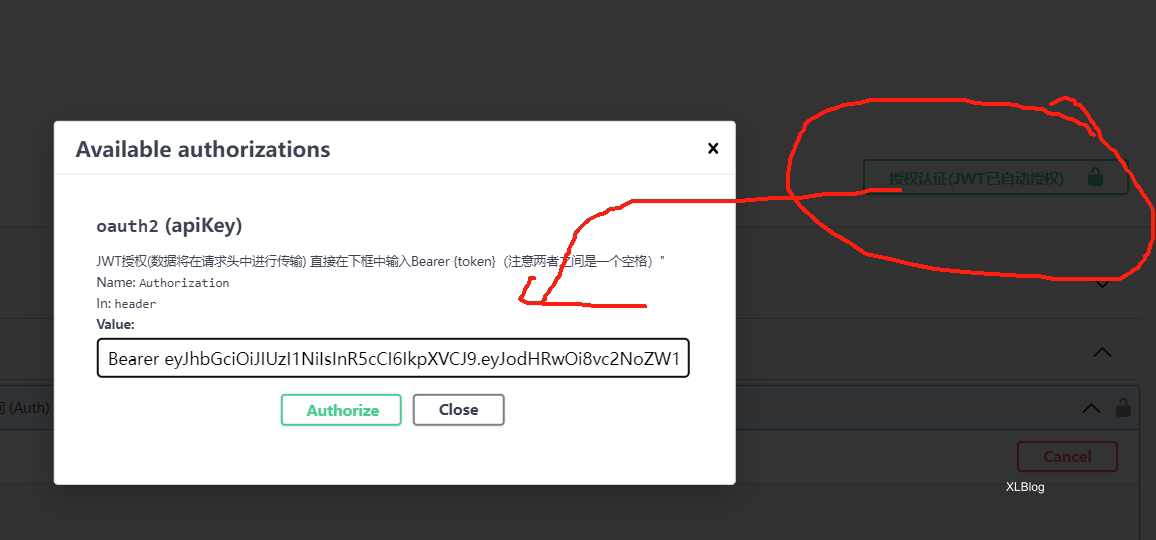
        Description = "JWT授权(数据将在请求头中进行传输) 直接在下框中输入Bearer {token}(注意两者之间是一个空格)\"",
        Name = "Authorization",        //jwt默认的参数名称
        In = ParameterLocation.Header, //jwt默认存放Authorization信息的位置(请求头中)
        Type = SecuritySchemeType.ApiKey
    });

    c.OperationFilter<AddResponseHeadersFilter>();
    c.OperationFilter<AppendAuthorizeToSummaryOperationFilter>();
    c.OperationFilter<SecurityRequirementsOperationFilter>();
    #endregion

});
二、配置自定义index.html 中间件
app.UseSwaggerMiddle(() => Assembly.GetExecutingAssembly().GetManifestResourceStream("EFCore.API.index.html"));
//设置静态页UseDefaultFiles是一个 URL 重写器,实际上并没有提供文件。它只是将URL重写定位到默认文档,然后还是由静态文件中间件提供。地址栏中显示的 URL 仍然是根节点的 URL,而不是重写的 URL。
DefaultFilesOptions defaultFilesOptions = new DefaultFilesOptions();
defaultFilesOptions.DefaultFileNames.Clear();
defaultFilesOptions.DefaultFileNames.Add("index.html");
app.UseDefaultFiles(defaultFilesOptions);
三、Swagger中间件
public static class SwaggerMiddleware
{
    public static void UseSwaggerMiddle(this IApplicationBuilder app, Func<Stream> streamHtml)
    {
        if (app == null) throw new ArgumentNullException(nameof(app));

        app.UseSwagger();
        app.UseSwaggerUI(c =>
        {
            //根据版本名称倒序 遍历展示
            var apiName = AppSettings.app(new string[] { "Startup", "ApiName" });
            c.SwaggerEndpoint($"/swagger/V1/swagger.json", $"EFCore V1");

            c.SwaggerEndpoint($"https://petstore.swagger.io/v2/swagger.json", $"{apiName} pet");

            // 将swagger首页,设置成我们自定义的页面,记得这个字符串的写法:{项目名.index.html}
            if (streamHtml.Invoke() == null)
            {
                var msg = "index.html的属性,必须设置为嵌入的资源";
                Log.Error(msg);
                throw new Exception(msg);
            }

            c.IndexStream = streamHtml;
            c.DocExpansion(DocExpansion.None); //->修改界面打开时自动折叠

            // 路径配置,设置为空,表示直接在根域名(localhost:8001)访问该文件,注意localhost:8001/swagger是访问不到的,去launchSettings.json把launchUrl去掉,如果你想换一个路径,直接写名字即可,比如直接写c.RoutePrefix = "doc";
            c.RoutePrefix = "";
        });
    }
}
四、启动项目 http://ip:端口/index.html
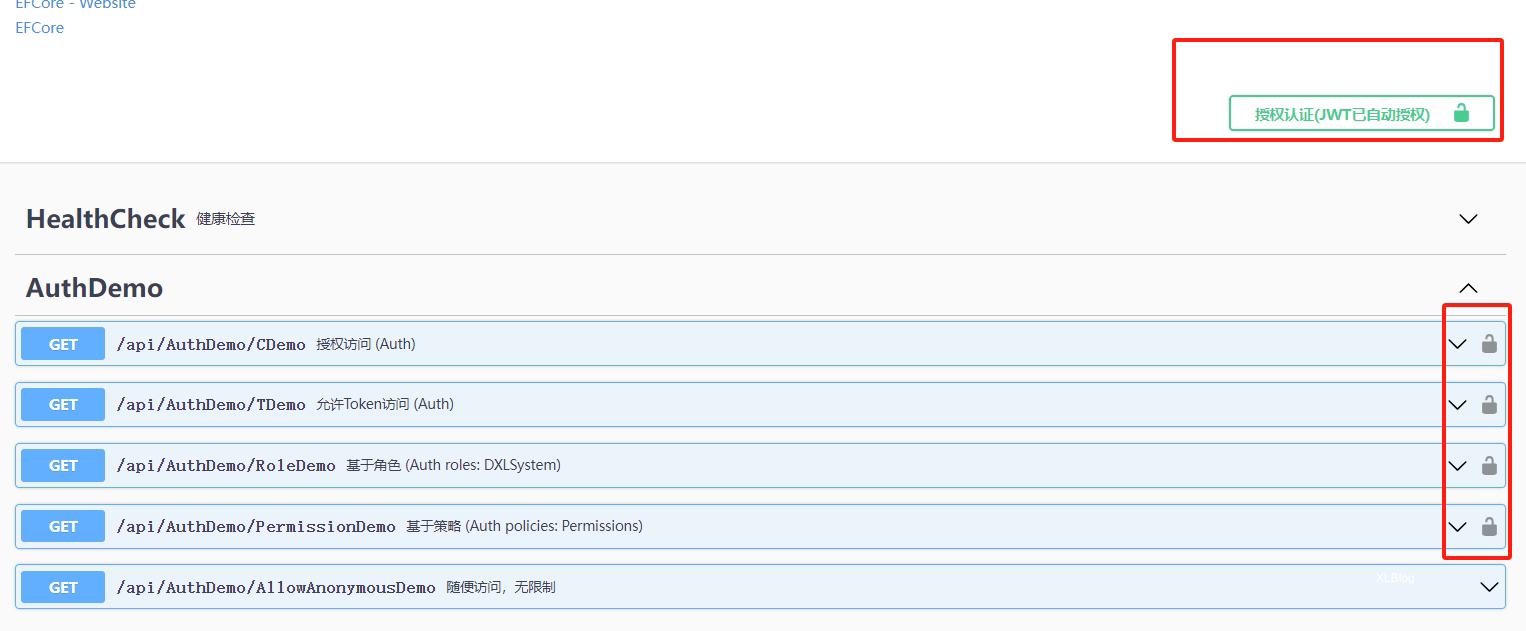
五 、测试
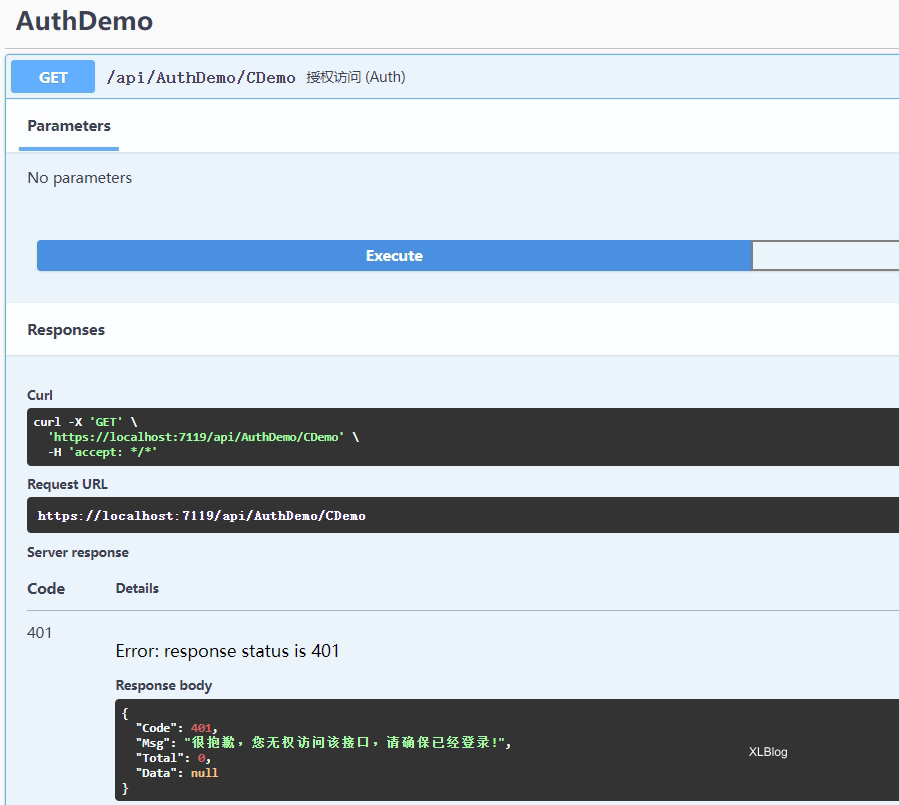
当无JWT时访问,返回401
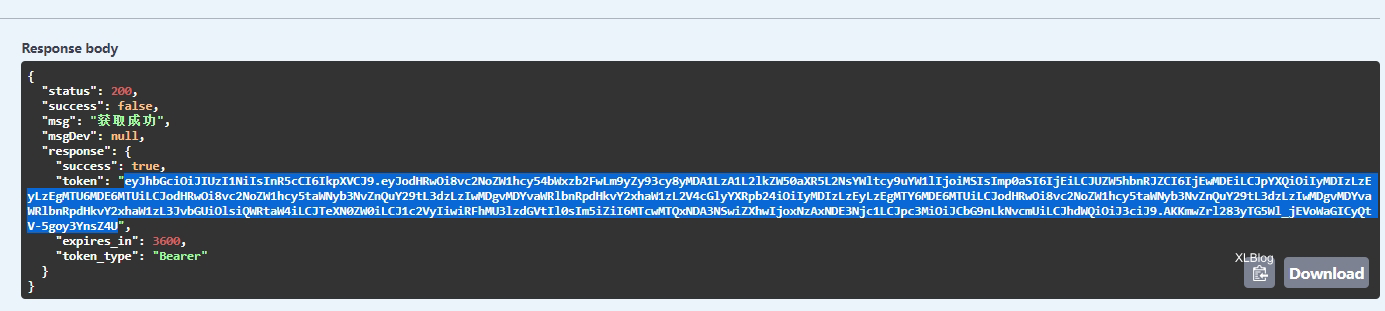
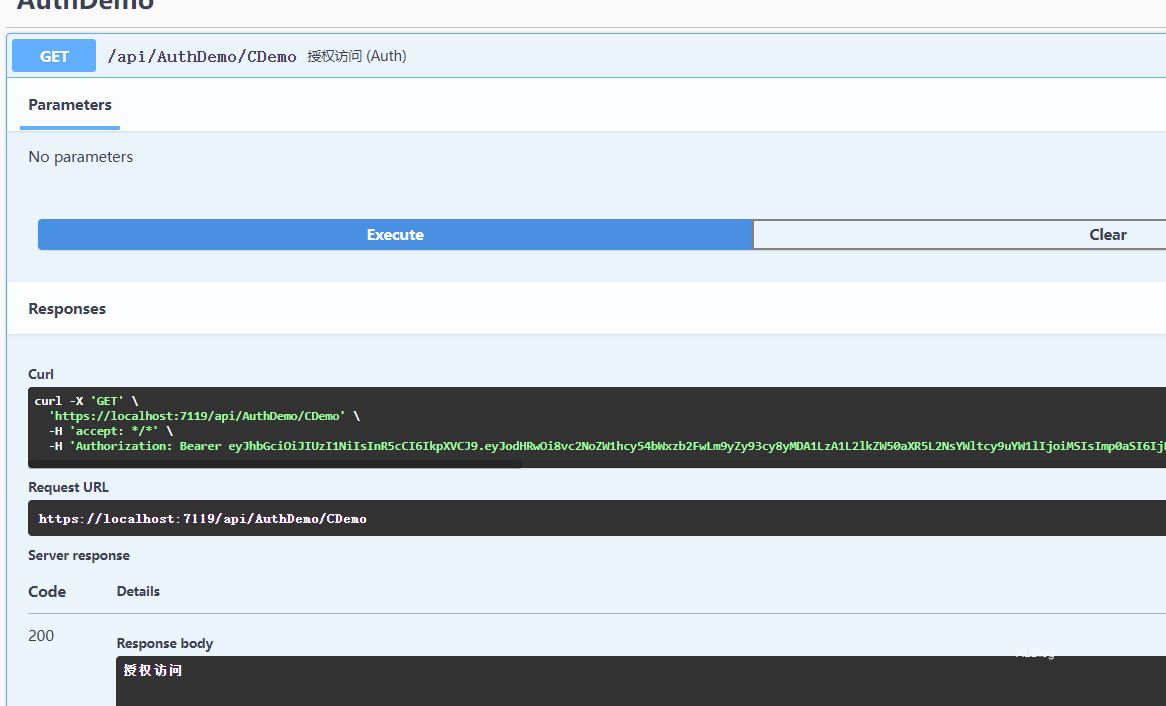
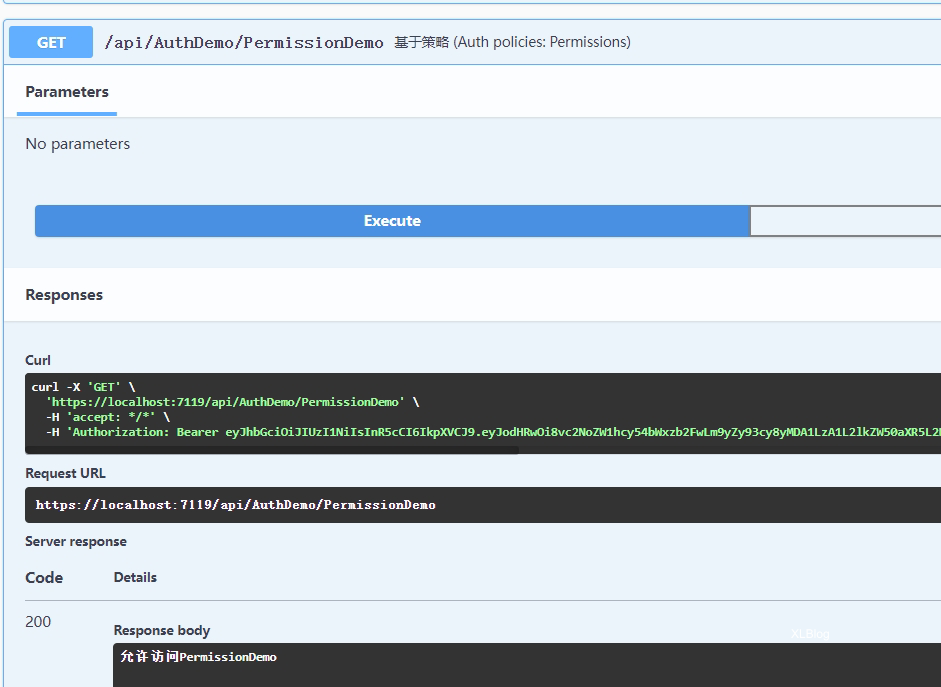
通过之前的接口拿取token并点击小锁赋值 再次测试,发现可以正常访问
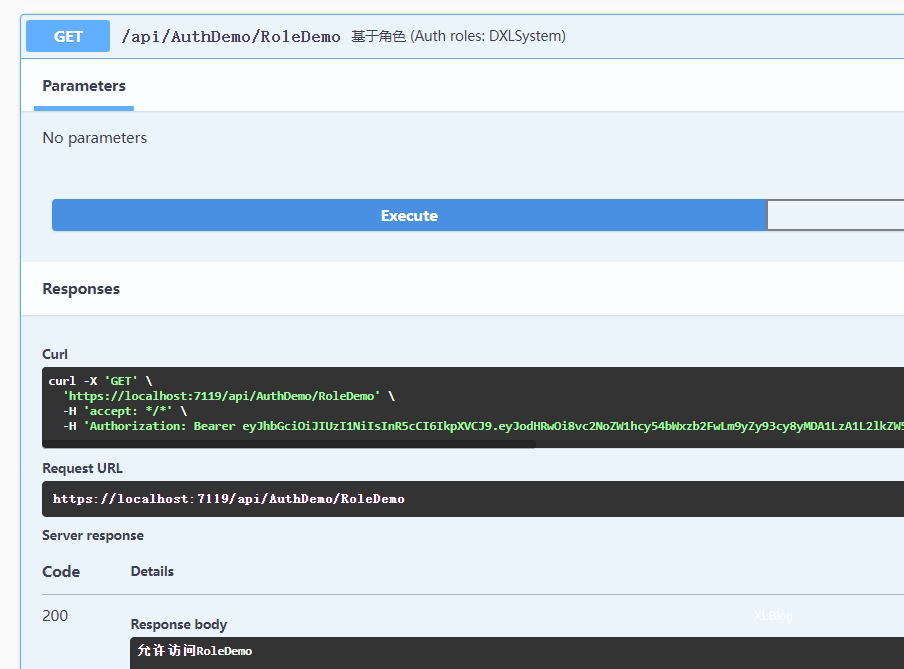
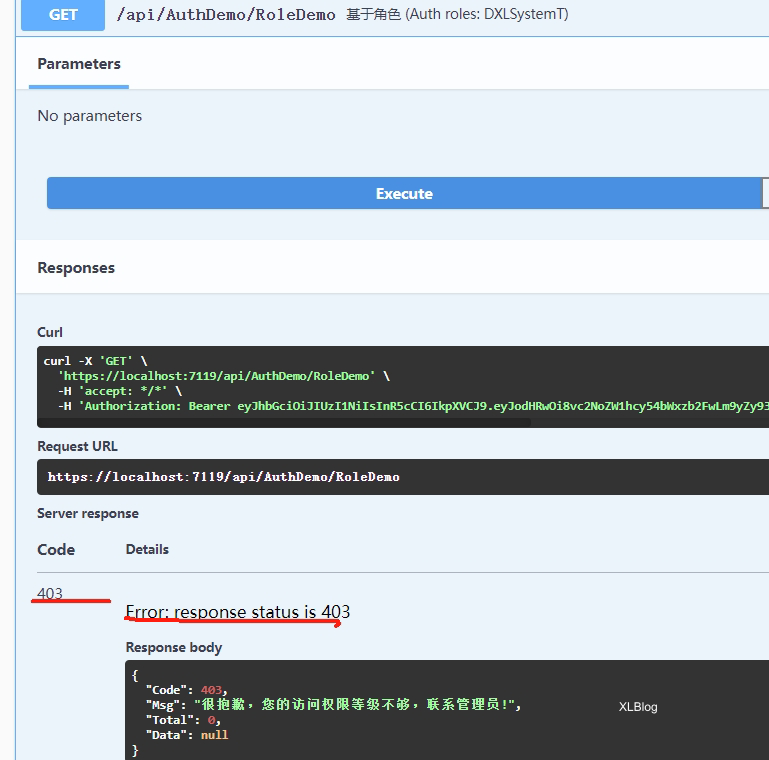
六、 修改角色测试 DXLSystem变为DXLSystemT ,这是我们之前获取Token时给的角色: var userRoles = "Admin,System,user,DXLSystem";
      [Authorize(Roles = "DXLSystemT")]
      [HttpGet]
      public ContentResult RoleDemo()
      {
          return Content("允许访问RoleDemo");
      }
发现返回403错误 没有对应角色权限,权限不足
七、如果要处理权限角色,可以采用基于策略 [Authorize("Permissions")],我们之前自定义的策略 PermissionHandler进行验证当前用户进行处理